Custom domain
Publish your forms on your own domain, for example forms.your-site.com.
With the Pro plan, your forms can appear on an address on your domain, for example forms.your-site.com. The HTTPS certificate is created automatically.
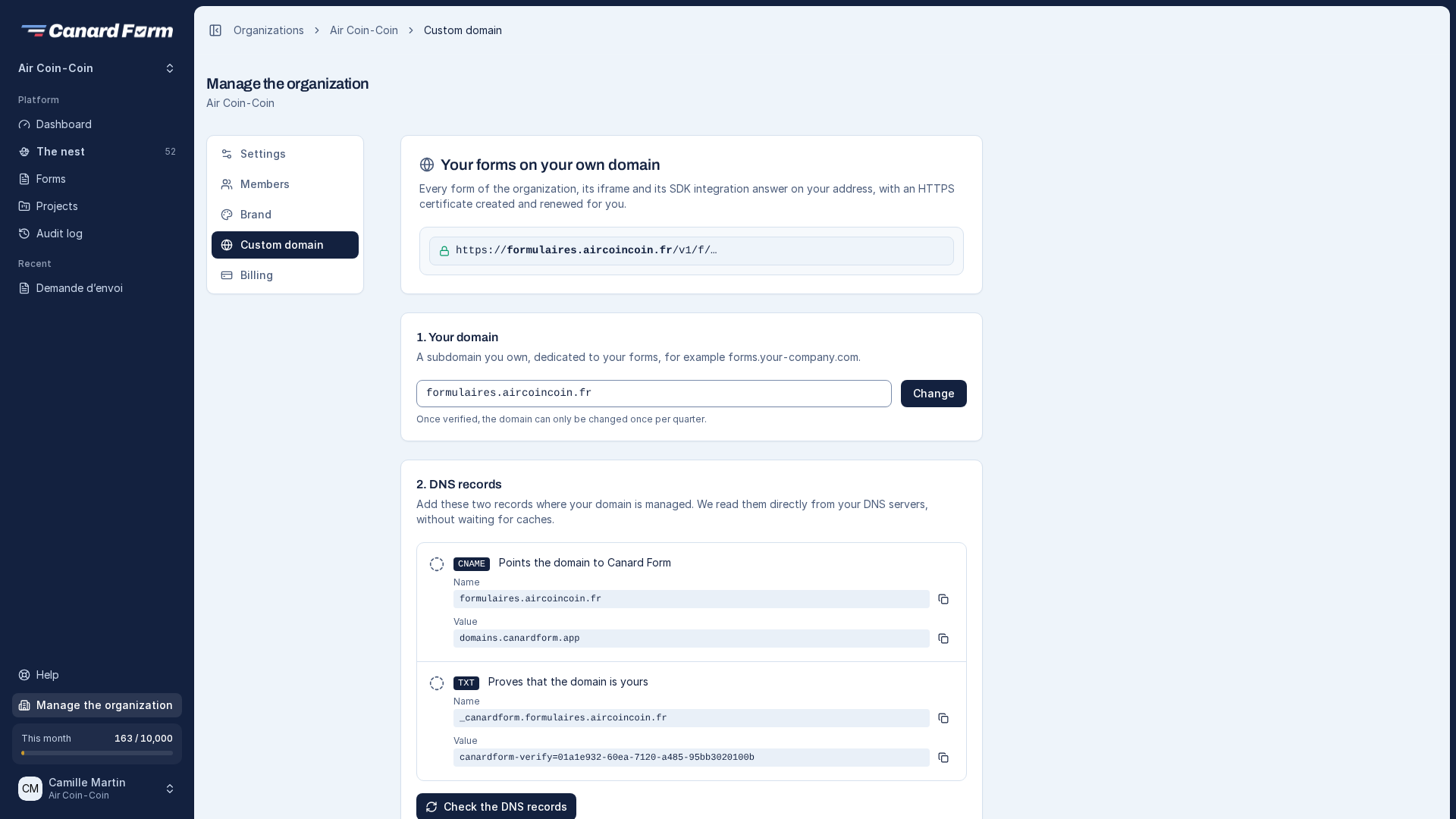
Set up your domain
- Open Manage the organization → Custom domain and enter your domain. We recommend a subdomain (
forms.your-site.com). - At your DNS provider, add the two records shown:
- a TXT record
_canardform.your-domain, which proves you own the domain. - a CNAME record pointing to the address shown, which sends visitors to Canard Form.
- a TXT record
- Click Check the DNS records. The page updates automatically at each stage: records found, certificate created, forms served.
Canard Form recognizes most DNS providers (OVHcloud, Cloudflare, Gandi, GoDaddy, IONOS, Infomaniak…) and shows a direct link to their interface.
Keep the DNS records
Don't remove the two records while you use the domain. Canard Form checks them every hour. If they are removed or changed, the domain is suspended immediately and you receive an email. Your forms stay available at their usual Canard Form address.
Change your domain
Once your domain is verified, you can change it once per quarter. The previous domain stops serving your forms immediately.
DNS propagation can take from a few minutes to a few hours. If the check fails right after you add the records, try again a little later. If a record is wrong, the page shows the value currently found for it.
Send emails from your domain (coming soon)
The automatic replies sent to your visitors will be able to come from an address on your domain, for example contact@your-company.com. This feature will be available with the Pro plan. Until then, they are sent from our address, under your organization's name. Visitors' replies go to the reply-to address set in each form (see Notifications and automatic reply).