Your brand on your forms
Add your logo, colors and font to your forms and the acknowledgement email, and remove the Canard Form mention.
With the Pro plan, your forms take on your company's look: logo, colors, font and footer. The settings are in Manage the organization → Brand and apply to every form of the organization.
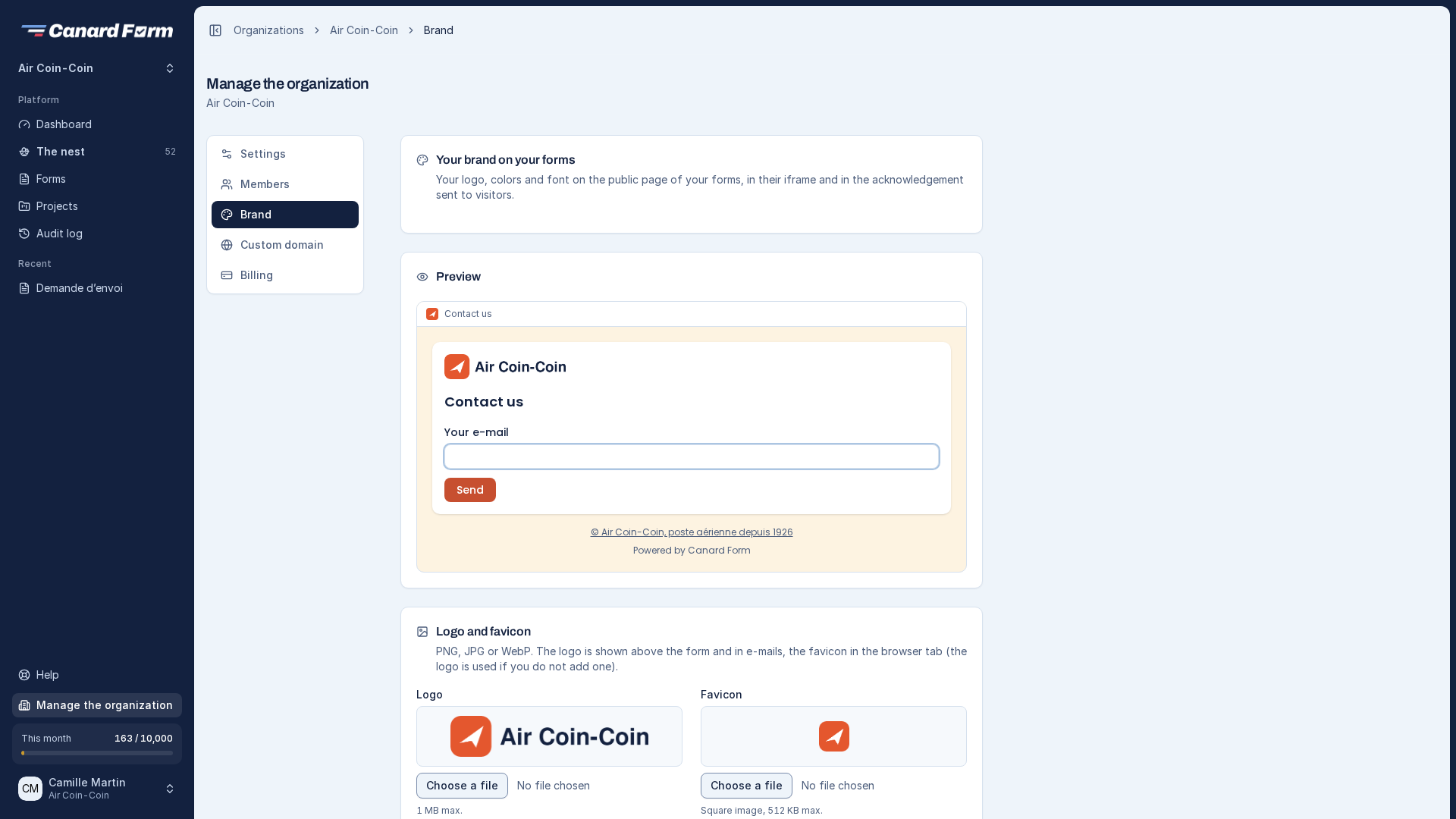
What you can customize
| Element | Where it appears |
|---|---|
| Logo | Above the form and at the top of the acknowledgement email |
| Favicon | In the browser tab (the logo is used if you don't add one) |
| Main color | Buttons, links, step bar, active field, bar of the acknowledgement email |
| Page background | Behind the form, on its Canard Form page |
| Background image | Behind the form, covering the whole page (not in an iframe) |
| Font | Texts and headings of the form |
| Footer | A short text under the form and in the acknowledgement, with an optional link |
The brand applies to the form's public page, the CMS and iFrame integration, the shared link and the acknowledgement email sent to the visitor. With the JavaScript SDK, the form already takes your website's style.
Set up your brand
- Open Manage the organization → Brand.
- Add your logo and, if you want, a favicon (PNG, JPG or WebP).
- Choose the main color, page background (a color, an image or both) and font. Leave a field empty to keep the Canard Form style.
- Add a footer text and its link, for example your legal notice.
- Check the preview, then click Save.
Button text automatically switches to white or dark to stay readable on your color. In an iframe, the background (color and image) stays your website's.
Fonts
Fonts are served by Font Bunny, a European service that sets no cookie and doesn't track your visitors. No data is sent to Google.
Remove the Canard Form mention
Turn off Show "Powered by Canard Form" on the same page. The mention disappears under your forms and in the acknowledgement email.
Logos and emails already sent
Every logo and image you upload is kept. If you change your logo, acknowledgements already sent still show the logo of their time, and new ones show the new logo. Images are served by Canard Form, never from a public storage address.
Changing plans
If you move to a plan without branding, your settings are kept but your forms go back to the Canard Form style. They get your brand back as soon as you return to the Pro plan.